1. Tap “Forgot Password” in the login page, enter your phone number or email address, tap "Next"
2. Then you will receive a verification code, type it and set your new password ,click "Confirm".
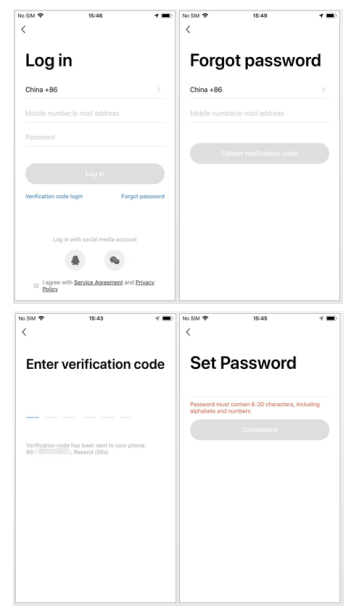

1. Tap “Forgot Password” in the login page, enter your phone number or email address, tap "Next"
2. Then you will receive a verification code, type it and set your new password ,click "Confirm".